
RGB Split
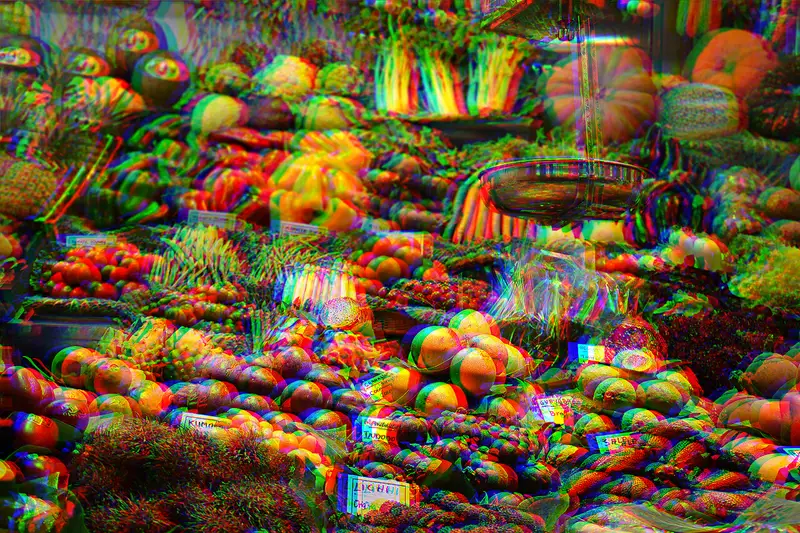
A glitch effect that offsets the red, green and blue channels of an image so colored fringes appear around edges. It mimics lens chromatic aberration and spread through 2010s music videos, posters and editing apps.
Spot it
- 01Red and cyan fringes
- 02Misaligned color ghosts
- 03Vibrating edges
Why it happens
The three color channels are separated and shifted by a few pixels in different directions, then recombined, so each edge shows its channels slightly out of register.
Recreate it in Pixio
Image edit prompt“Apply an RGB channel split to this image: shift the red channel to the left and the blue channel to the right by a noticeable few pixels, with the green held in place, creating cyan and red fringes along every edge, plus a few thin horizontal glitch slices. Keep it crisp and digital. Keep the original subject and composition.”
Open PixioUpload your image and pick an image-edit model.