
Pix Agent is live. One chat interface that can plan, generate, and manage your entire media production — images, video, audio, and 3D — across every model on Pixio, simultaneously.
🤖 What Is Pix Agent?
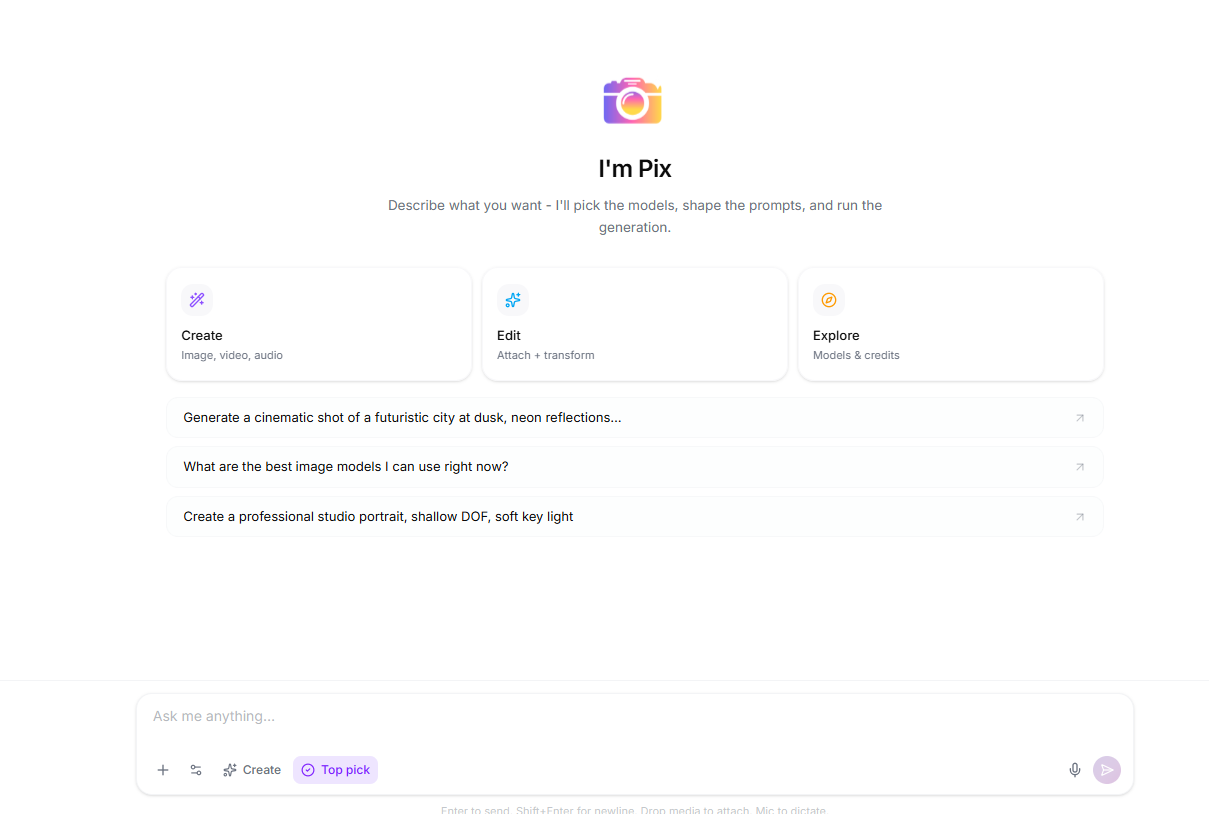
Pix Agent is your AI creative director inside Pixio. Instead of navigating from model to model and firing off individual generations, you describe what you want in plain language and Pix Agent handles the rest: picking the right models, writing optimized prompts, batching jobs, and tracking everything until it's done.
It lives at the top of your Pixio dashboard under Pix Agent — one click to open, no separate tool to learn.
In short: Tell Pix Agent what you're making. It plans the production, estimates the cost, runs the generations, and brings back the results — all in a single conversation thread.
🎬 One Interface. Every Model. All at Once.
The biggest shift Pix Agent brings is parallel, multi-model generation. Instead of generating one asset, downloading it, then switching models for the next one, you can ask Pix Agent to produce an entire set in a single request.
Here's what that looks like in practice:
Try this: "Generate 6 product hero shots for a new sneaker — 2 on FLUX Pro for photorealism, 2 on GPT Image 2 for editorial feel, and 2 on Nano Banana 2 for quick variations. Use the same model, dark studio background, and dramatic rim light across all of them."
Pix Agent queues all six jobs, runs them in parallel, and delivers a grid of results back in the chat. No tab-switching. No re-entering prompts. No manually setting up each run.
This extends to every modality Pixio supports:
Images
- Text-to-image and image-to-image editing
- Multiple models in one batch
- Variations at different quality tiers
- Reference-guided generations
Video
- Text-to-video and image-to-video
- Animate a still with one follow-up message
- Multi-model comparison runs
- Clip extensions and edits
Audio
- Music generation and sound effects
- Voice synthesis and transcription
- Video-to-audio from existing clips
- Audio extensions and inpainting
3D & More
- Text-to-3D and image-to-3D
- Auto-rig and animation
- Storyboard generation
- Workflow pipelines
📋 Intelligent Workflow Planning
For larger productions — campaign shoots, multi-shot videos, storyboards, or batch jobs over a certain size — Pix Agent presents a plan before it starts generating.
The plan shows:
- Every step it intends to run, labeled clearly
- Which model handles each step
- The estimated credit cost for the whole job
How it works: Describe a complex project. Pix Agent builds a step-by-step plan and shows it to you. Review it, adjust it if needed, then approve — and it executes every step automatically.
This means you're never surprised by a large generation run. You see the full scope, confirm the cost, and only then does Pix Agent start working through it.
For smaller jobs (a handful of images, a quick video), it skips the plan step and generates directly — no friction for fast iterations.
⚙️ Workflow Management: From Simple Jobs to Full Pipelines
Pix Agent can build and run saved Pixio Workflows — multi-step pipelines that chain model outputs together. These go beyond one-shot generation:
Linear pipelines: Each step feeds its output into the next. Generate a hero image, upscale it, then animate it, then extract audio — all as one connected run.
Batch workflows: Run the same pipeline across N inputs simultaneously. Feed in a product catalog and have Pix Agent generate hero images for every SKU at once.
Storyboard workflows: Describe a short film concept. Pix Agent creates the shot plan, generates keyframe images for each shot, and assembles them into a Cinema Studio storyboard — ready for your director's notes.
Workflow runs are visible at /home/workflows so you can monitor progress, review outputs, and re-run steps without losing your place.
Try building a pipeline: "Create a workflow that takes a product image, removes the background, generates 3 lifestyle contexts for it, then animates the best one into a 5-second clip."
🧠 Model Intelligence Built In
Pix Agent knows the full Pixio model catalog and picks automatically — but you stay in control.
Auto-selection uses your saved defaults from Settings first, then falls back to model heuristics matched to your goal:
| What you're making | What Pix Agent reaches for |
|---|---|
| Portraits, product shots, textures | FLUX Pro, Nano Banana Pro |
| Fast drafts and iterations | Nano Banana 2, FLUX Dev |
| Cinematic video, camera moves | Seedance, Kling |
| Character animation, story video | Kling, Seedance |
| Audio, SFX, music | Mirelo, Mureka, ElevenLabs |
| 3D models, rigged characters | Meshy, Tripo |
You can always name a specific model — "use Kling v3 4K for this shot" — and Pix Agent follows it exactly. Or ask it to compare: "show me the same scene on three different image models" and it runs all three.
Prompts are auto-optimized server-side for every generation, so you can write naturally ("a stormy seascape at dawn") and Pix Agent expands it into a production-quality prompt before sending it to the model.
📁 Assets and Context Stay Connected
Everything generated in a Pix Agent conversation is accessible in your asset library and can be referenced directly in follow-up messages.
- Drop an uploaded image into the chat to edit it, animate it, or use it as a reference
- Reference a previous generation ("animate the third image you made") without digging through menus
- Pull assets from your library directly into a workflow step
This persistent context is what makes multi-step productions work smoothly — Pix Agent remembers what it made and can build on it naturally.
🚀 Getting Started with Pix Agent
- Click Pix Agent from the top of your Pixio dashboard (or navigate to
/home/chat) - Describe your project — as simple as "make me 4 hero images for a new product launch" or as detailed as a full storyboard brief
- Review the plan (if shown) and approve it
- Watch generations roll in — results appear in the chat as each job completes
- Iterate in the same thread — edit, regenerate, animate, or chain to the next step
Start your first conversation and let Pix Agent handle the generation work — you focus on the creative direction.
🎯 What Pix Agent Changes
The traditional way to use a multi-model AI platform involves a lot of manual orchestration: navigate to a model, set parameters, generate, download, navigate to the next model, repeat. For a production with dozens of assets across multiple formats, that's hours of work that never touches the creative problem.
Pix Agent collapses that into a conversation. You describe what you're making. It handles the model selection, prompt engineering, job queuing, and delivery. You stay focused on direction — not on tooling.
This is the same shift that happened when AI went from one model to many models. Pix Agent is the layer that makes all of those models work together.
Pix Agent is available to all Pixio users today. Open it from the top of your dashboard and tell it what you're building.