
February 2026 Highlights: Seedance 2.0 now live on Pixio · Text-to-Video with cinema-grade quality · Image-to-Video for precision control · Multi-shot sequences with consistency · First frame and end frame support · 4-12 second duration control · 6 aspect ratio options
🎬 Seedance 2.0 is Now on Pixio: Learn How to Prompt the New Model
New Release: Seedance 2.0 is now available on Pixio with two powerful generation modes—Text-to-Video and Image-to-Video—giving you flexible control over video creation with cinema-grade quality
We're excited to announce that Seedance 2.0 is now live on Pixio. This model brings professional-grade video generation with flexible duration control (4-12 seconds), multiple aspect ratios, and two distinct workflows: generate from text alone for creative freedom, or anchor your vision with a reference frame for dramatically improved accuracy and consistency.
🎯 What Makes Seedance 2.0 Different?
Text-to-Video: Cinema-Grade Quality
Generate videos entirely from text descriptions with stunning cinematic quality. Seedance 2.0 produces professional-grade motion, lighting, and composition directly from your prompts.
What you get: Cinematic camera work, dramatic lighting, smooth motion, and professional-grade visual effects.
What to expect: While the quality is impressive, some minor artifacting can occur—this is the nature of current AI video generation. The results are production-ready for most use cases, but you may notice occasional visual imperfections.
Image-to-Video: Dramatically Improved Accuracy
Here's where Seedance 2.0 truly shines. By providing a first frame—especially one generated with Google's Nano Banana Pro—you unlock a massive leap in quality and accuracy.
Why this works: The model uses your reference frame as an anchor point, dramatically reducing artifacts and ensuring visual consistency. The difference is night and day.
Multi-Shot Sequences with Consistency
Structure your prompt with Shot 1, Shot 2, Shot 3, etc., and Seedance will maintain perfect consistency across all shots using just a single reference image. No character drift. No visual inconsistencies. Just seamless narrative flow.
First Frame + End Frame Control
Provide both a starting frame and an ending frame, and Seedance will smoothly animate the transition between them. This gives you pixel-perfect control over your opening and closing shots while the model handles the motion in between.
📖 How to Prompt Seedance 2.0: A Complete Guide
The Seedance 2.0 Prompt Structure
Seedance 2.0 works best when you follow a clear, cinematic template:
[Subject] + [Action] + [Camera Movement] + [Environment] + [Lighting] + [Style]
Be specific about what you want to see, how it should move, and the mood you're creating.
Text-to-Video Prompting
For text-to-video, describe your entire scene in one cohesive prompt with cinema-grade detail:
Example 1: Action Scene
Two gladiators clash violently in a massive Roman colosseum arena.
They collide with swords and shields in intense combat, dust and sand
particles exploding around them. One gladiator dominates, forcing the
other backward. Dynamic tracking camera work circles the fighters.
Golden hour lighting, dramatic shadows, volumetric dust, lens flares.
Epic orchestral score with sword clashes and crowd roars.
Example 2: Product Demo
A sleek smartphone sits on a white marble table. Camera slowly orbits
around it, revealing the design from multiple angles. Soft studio
lighting highlights the edges and glass back. The phone's screen lights
up, showing a vibrant interface. Minimalist, professional, high-end
product photography style.
Example 3: Cinematic Moment
A lone figure stands at the edge of a cliff overlooking a vast canyon
at sunset. Slow dolly push-in on their silhouette. Golden hour light
bathes the landscape in warm tones. Wind gently moves their hair.
Dramatic, contemplative mood. Cinematic, 4K quality.
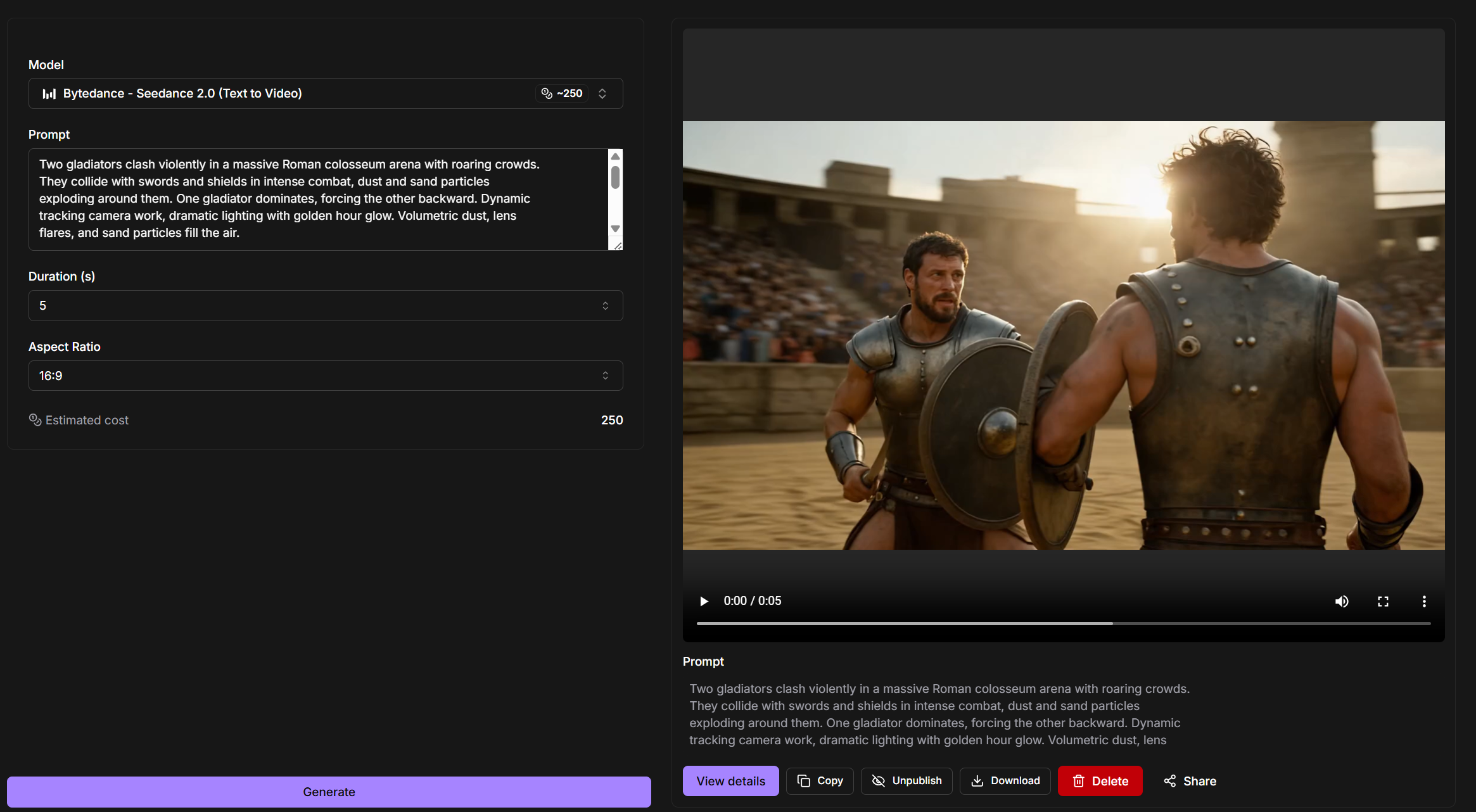
🎬 Text-to-Video Example: The Gladiator Clash
Here's a complete text-to-video example using Seedance 2.0 on Pixio:
Prompt
Two gladiators clash violently in a massive Roman colosseum arena with
roaring crowds. They collide with swords and shields in intense combat,
dust and sand particles exploding around them. One gladiator dominates,
forcing the other backward. Dynamic tracking camera work, dramatic
lighting with golden hour glow. Volumetric dust, lens flares, and sand
particles fill the air.

TECHNICAL SPECS:
- Duration: 5 seconds
- Style: Cinematic, Hollywood blockbuster, 4K, dramatic lighting
- Camera: Dynamic tracking shots around the fighters
- Effects: Volumetric dust, sand particles, lens flares, dramatic shadows
- Audio: Epic orchestral score with sword clashes and crowd roars
- Constraints: Realistic physics, smooth motion, no flicker, high consistency
Result
A cinematic 5-second video of two gladiators in combat with dynamic camera movement, perfect lighting, and audio—all from a single text prompt. Notice the cinema-grade quality with smooth motion and dramatic effects, though you may spot minor artifacting typical of AI video generation.
🎬 Image-to-Video: The Game-Changer
This is where Seedance 2.0 becomes truly powerful. By anchoring your generation with a reference frame, you get dramatically improved accuracy, consistency, and quality.
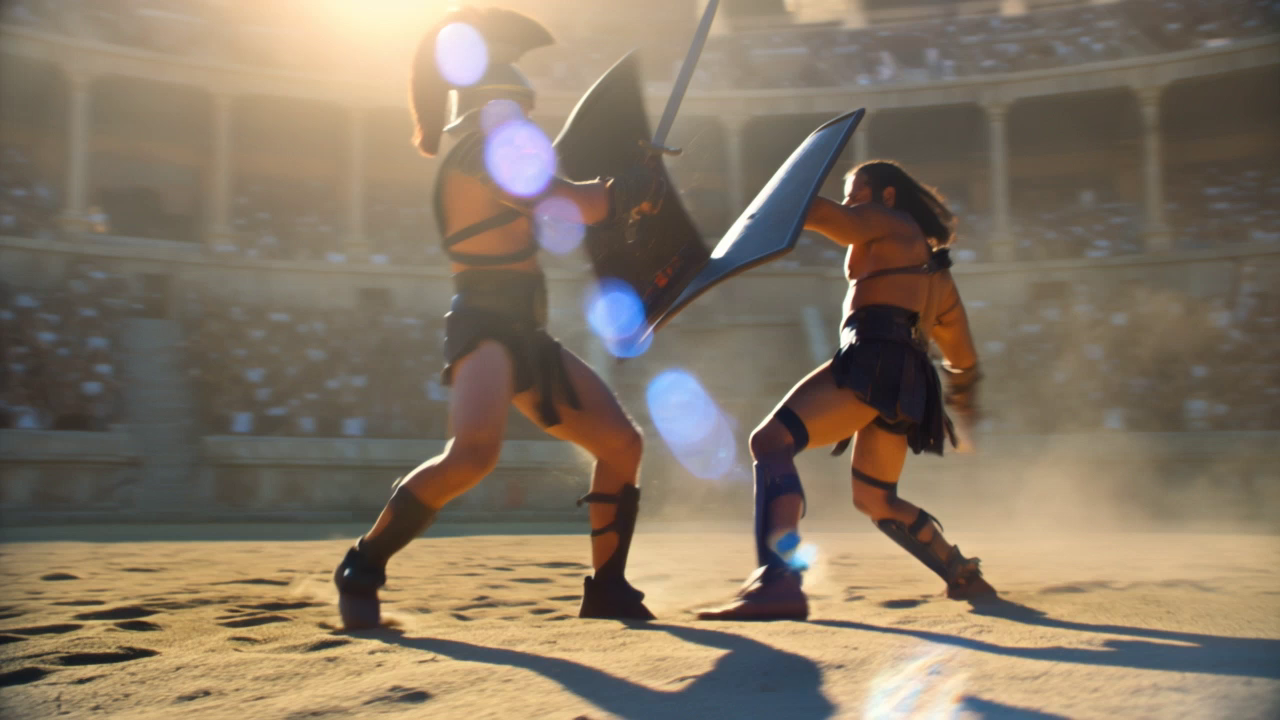
Step 1: Generate a Starting Frame with Nano Banana Pro
First, use Google's Nano Banana Pro to create your opening frame. This is the secret sauce—a high-quality reference image dramatically improves Seedance's output.
Prompt:
Two gladiators facing each other in a massive Roman colosseum arena,
swords raised, about to clash. Golden hour lighting, dramatic shadows,
roaring crowd in the background. Volumetric dust particles in the air.
Tense, epic atmosphere. Wide establishing shot showing the full arena
and both fighters ready for combat.
Result:
Step 2: Upload to Seedance 2.0 Image-to-Video
In Pixio, select Seedance 2.0 Image-to-Video mode and upload your starting frame.
Step 3: Structure Your Prompt with Multiple Shots
Here's the magic: structure your prompt with Shot 1, Shot 2, etc. Seedance will maintain perfect consistency across all shots using just your single reference image.
Shot 1 3s: Two gladiators collide in intense combat in a massive Roman
colosseum arena. Swords clash violently, shields bash together. Both
fighters are evenly matched, exchanging rapid strikes. Dust and sand
particles explode around them with each impact. Dynamic tracking camera
circles the fighters. Golden hour lighting, dramatic shadows, roaring
crowd in background. Volumetric dust fills the air.

TECHNICAL SPECS:
- Duration: 3 seconds
- Style: Cinematic, 4K, dramatic golden lighting
- Camera: Dynamic tracking shots around the fighters
- Effects: Volumetric dust, sand particles, lens flares
- Audio: Epic orchestral score with sword clashes and crowd roars
- Constraints: Realistic physics, smooth motion, no flicker, high consistency

Shot 2 3s: One gladiator overwhelms the other with a powerful final strike.
The defeated gladiator staggers backward, loses balance, and collapses to
the sand. The victor stands over the fallen opponent, weapon raised in
triumph. Dust settles around them. The crowd erupts in cheers. Golden hour
lighting, dramatic shadows. Camera pulls back to show the full arena with
the victor standing victorious and the defeated gladiator on the ground.

TECHNICAL SPECS:
- Duration: 3 seconds
- Style: Cinematic, 4K, dramatic golden lighting
- Camera: Dynamic during combat, pull back as opponent falls
- Effects: Volumetric dust, sand particles, lens flares
- Audio: Epic orchestral crescendo with crowd roars
- Constraints: Realistic physics, smooth motion, no flicker, maintain character consistency
Result
A seamless 6-second video with two distinct shots, perfect consistency, and dramatically improved quality—all anchored by your single reference image. Notice how the characters remain consistent across both shots, the lighting stays coherent, and the overall quality is noticeably cleaner than the text-to-video example.
The difference is night and day. Adding a single reference frame generated with Nano Banana Pro transforms Seedance 2.0 from good to exceptional.
💡 Pro Tips for Seedance 2.0 Success
Tip 1: Use Nano Banana Pro for Your Reference Frame
Don't skip this step. A high-quality starting frame from Nano Banana Pro dramatically improves Seedance's accuracy and reduces artifacts.
- ✅ Generate your opening frame with Nano Banana Pro
- ✅ Use that frame as your Seedance 2.0 anchor
- ✅ Watch the quality jump
Tip 2: Structure Multi-Shot Prompts Clearly
When creating multiple shots within your 12-second generation, use explicit shot labels:
Shot 1 (0-3s): [Description]
Shot 2 (3-6s): [Description]
Shot 3 (6-9s): [Description]
This clarity helps Seedance maintain consistency across all shots.
Tip 3: Be Specific About Camera Movement
Don't just describe the subject—describe how the camera moves:
- Bad ❌: "A person walking"
- Good ✅: "A person walking with a slow tracking shot following from behind"
- Bad ❌: "A car driving"
- Good ✅: "A car driving with a dynamic FPV drone shot from above and behind"
Tip 4: Use Cinematic Language
Reference film terminology and visual styles:
- "Slow dolly push-in"
- "Hard cut"
- "Whip pan"
- "Symmetrical locked-off camera"
- "Shallow depth of field"
- "Golden hour lighting"
- "Volumetric fog"
Tip 5: Describe Lighting Explicitly
Lighting makes or breaks a video. Be specific:
- Bad ❌: "Good lighting"
- Good ✅: "Golden hour lighting with dramatic shadows and lens flares"
- Bad ❌: "Dark"
- Good ✅: "Moody blue-tinted lighting with rim lights on the subject"
Tip 6: Leverage the End Frame for Precision
Use the optional end frame to lock in your final shot. This ensures your video ends exactly where you want it, with perfect visual consistency.
📚 Key Features at a Glance
Generation Modes
- Text-to-Video with cinema-grade quality
- Image-to-Video for precision control
- Multi-shot sequences with consistency
- Optional end frame support
Multi-Shot Capability
- Structure shots with Shot 1, Shot 2, etc.
- Perfect consistency across all shots
- Single reference frame anchors entire sequence
- Seamless transitions between shots
Duration & Aspect Ratios
- 4-12 second duration control
- 6 aspect ratio options (21:9, 16:9, 4:3, 1:1, 3:4, 9:16)
- Flexible for any platform
- Smooth frame-to-frame transitions
Quality Features
- Cinema-grade motion control
- Professional lighting
- Dynamic camera work
- Nano Banana Pro integration for reference frames
🎬 The Power of Reference Frames
The biggest breakthrough with Seedance 2.0 on Pixio is understanding the power of reference frames. A single high-quality image generated with Nano Banana Pro can anchor an entire multi-shot sequence, ensuring consistency, reducing artifacts, and dramatically improving overall quality.
This is the workflow that separates good AI video from exceptional AI video:
- Generate reference frame with Nano Banana Pro
- Upload to Seedance 2.0 Image-to-Video
- Structure multi-shot prompt with Shot 1, Shot 2, Shot 3
- Generate with perfect consistency
The result is production-ready video that rivals traditional filmmaking.
🎯 Try Seedance 2.0 Now in Pixio
Ready to create your first Seedance 2.0 video?
Start with a reference frame from Nano Banana Pro, then generate multi-shot sequences with perfect consistency. Experience the dramatic quality improvement that image-to-video brings.